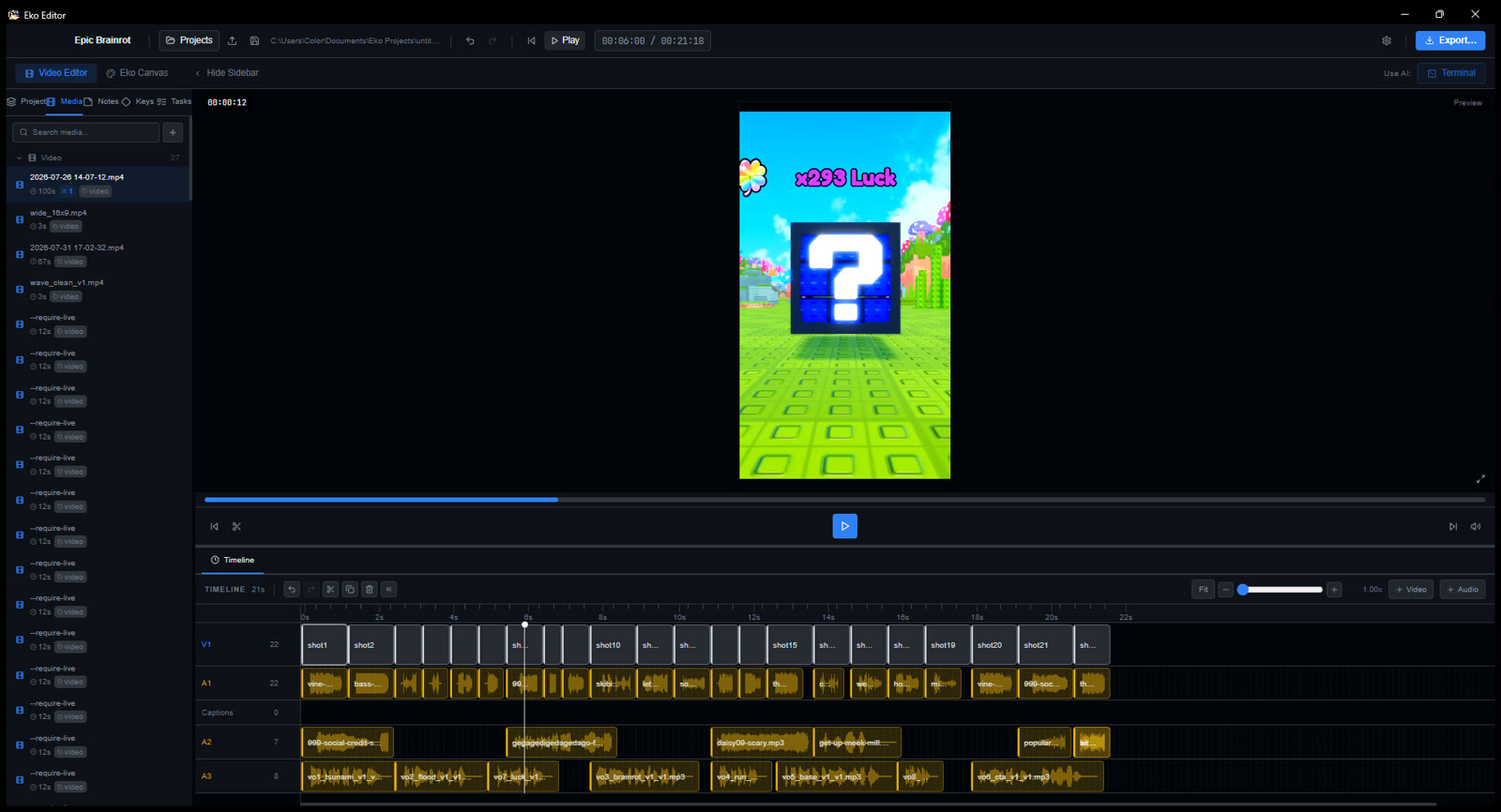
Eko is a full video editor an agent can drive. Cut a long capture down,
grade it, score it and deliver it — from the terminal, or by hand on the
timeline. Same project either way, and it is very good at vertical when
that is what you need.
1080 × 192022 cuts8 voiceoverscaptions burned on export
V1 agent control
Every edit is a command.
Eko exposes the whole timeline three ways: an MCP server for Claude and other
agents, an editorctl CLI for your shell, and a local
HTTP bridge. They all drive the same running app, so an agent can build a rough
cut while you watch it happen — then you take over with the mouse.
Batch the whole timeline in one call.add-clips validates every clip together and applies them as a single undo.
Check the edit before you render.check-edit reports gaps that export as black, clips past the end and captions hidden under platform UI — each with the call that fixes it.
Look at what you made. Frame renders and contact sheets come back as images, not file paths, so an agent can actually see the mistake.
The bridge is locked to your machine. Every request needs a token minted at launch, so nothing else on your system — or in a browser tab — can drive your editor.
V2 media & effects
You don’t have to bring the footage.
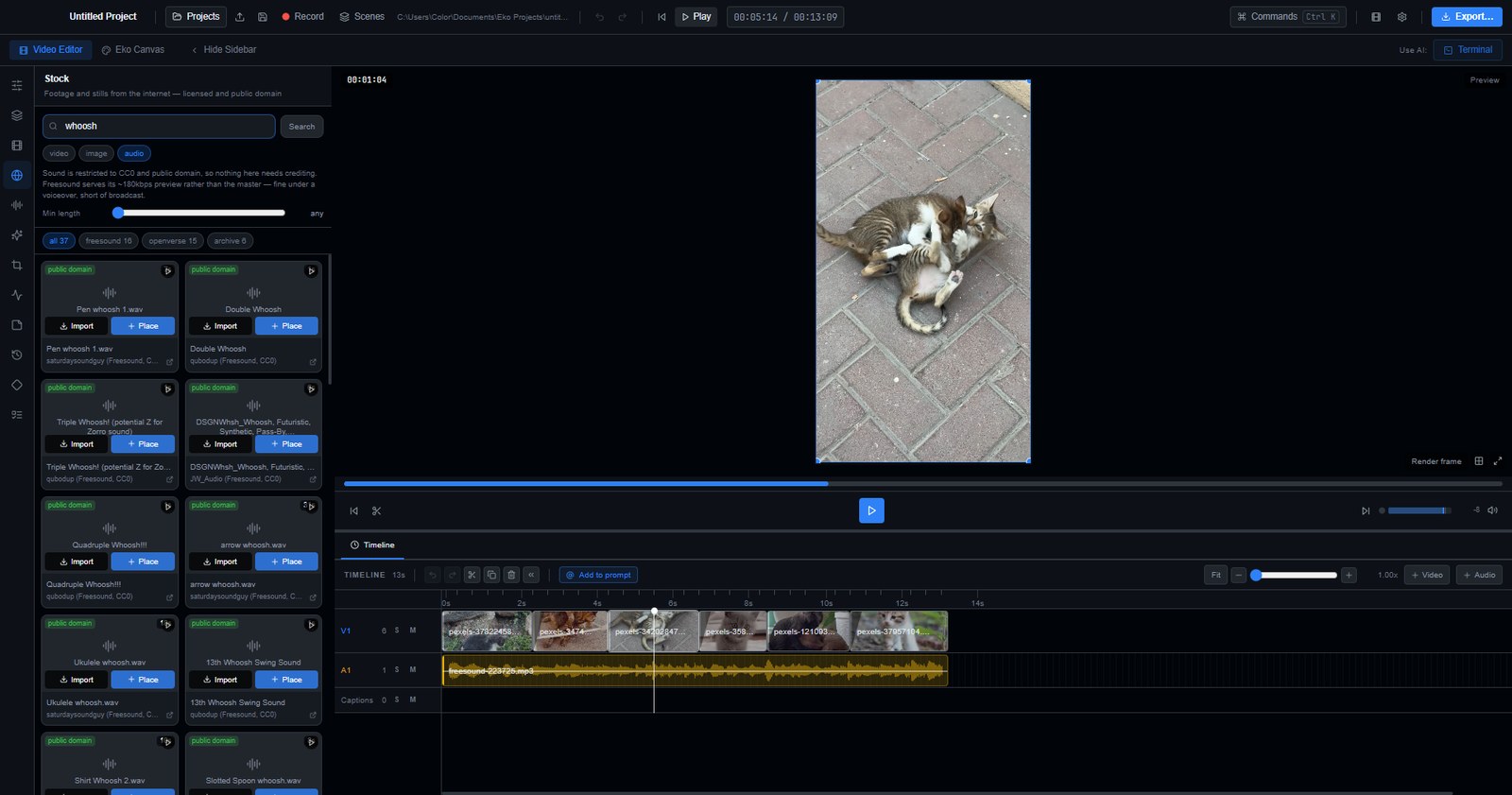
Search stock video, stills and sound from inside the editor and drag them
straight onto a track. Nothing downloads until you drop it, and every result
shows its licence before you commit — because that is when it can still
change your mind.
Nine sources, one search. Pexels and Pixabay alongside NASA, Wikimedia Commons, the Internet Archive, Openverse, the Met and the Library of Congress — asked together and merged.
Sound that never needs crediting. Music and effects come from Freesound, Openverse and the Internet Archive, restricted to CC0 and public domain — so a bed you set once and forget cannot come back as a claim.
Licences are read, not assumed. Commons reports its actual licence and the Library of Congress admits when it does not know. Attribution rides on the imported asset instead of being forgotten at import.
Audition before you import. Sounds play in the panel, so choosing between a dozen whooshes does not fill your media bin with eleven rejects.
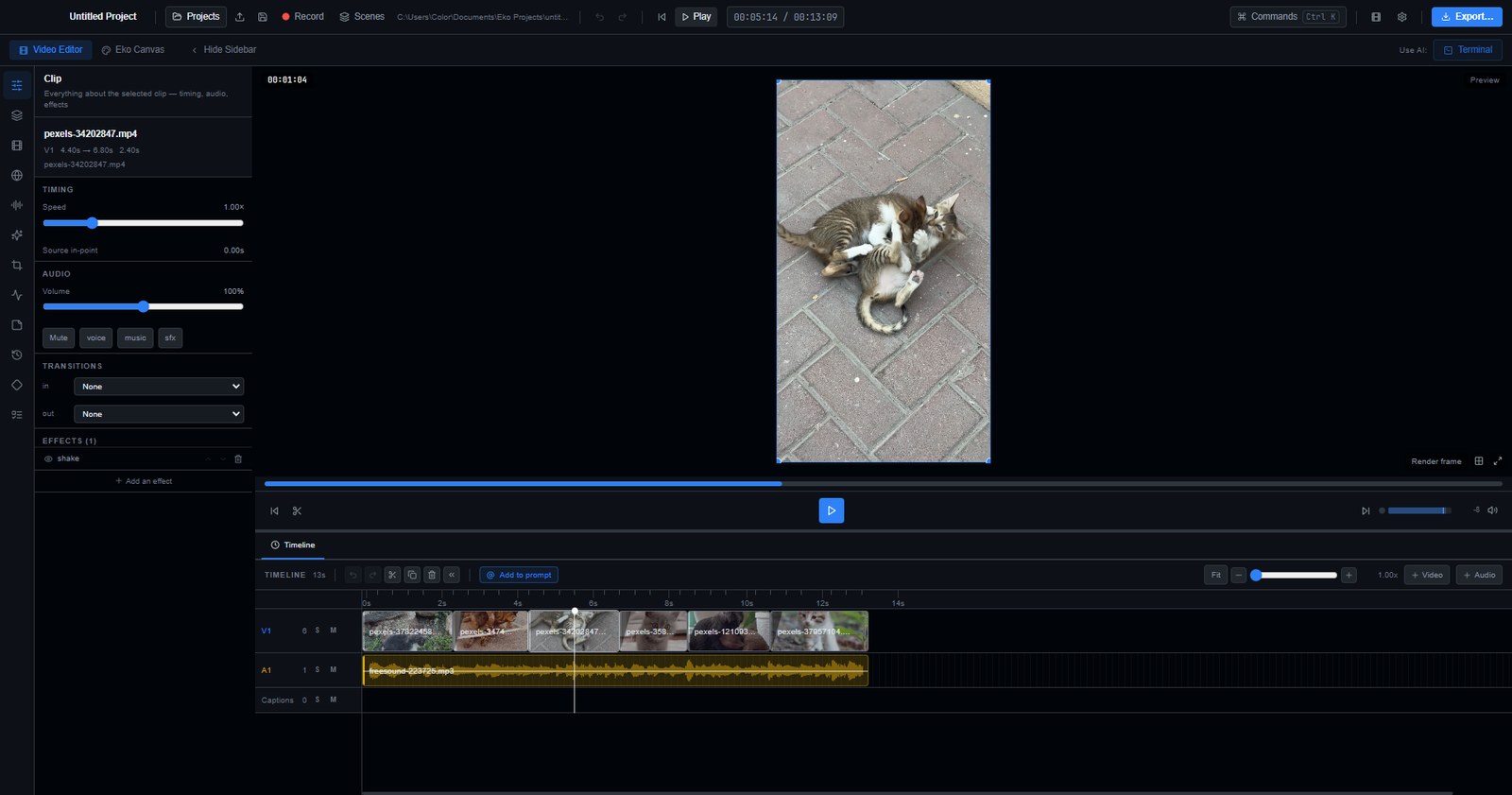
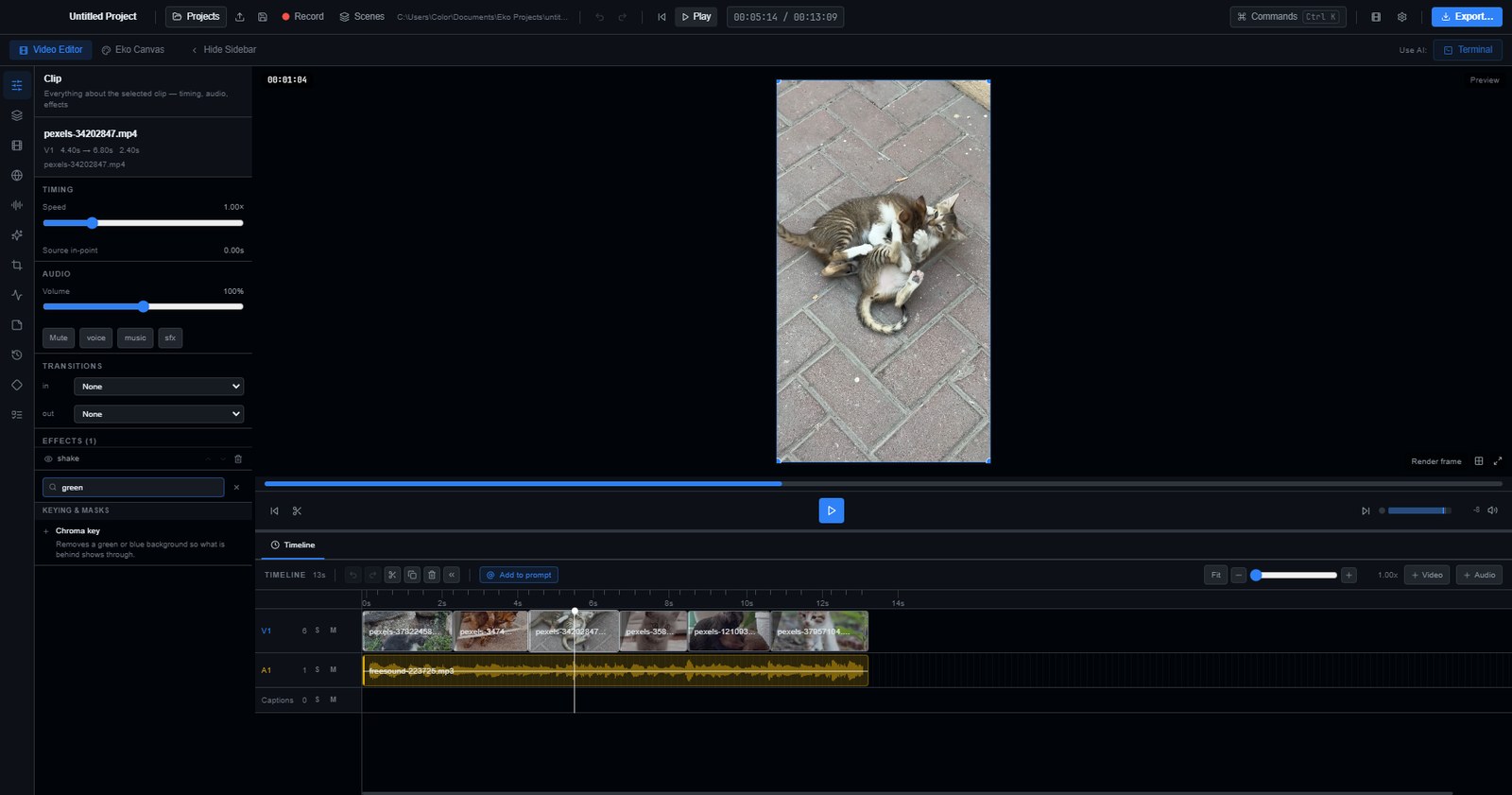
Thirty-seven effects, searchable by what they do. Type “green screen” and get chroma key; “slowmo” and get the speed ramp; “censor” and get pixelate. You do not have to know what the code calls it.
Keying, masks, grades and glitch. Chroma key, shape and image masks, real .cube LUTs, blend modes, RGB split, VHS, film grain, bloom and the rest — stacked, reorderable, and switchable off without losing their settings.
Every edit is undoable, and visible. A history panel lists what you did, newest first, and one click goes back to any of it.
The shortcuts are yours. Rebind any of them by pressing the combination you want; conflicts are named rather than left to be discovered.
A1 shorts toolkit
Built for the formats that pay.
Vertical is a first-class target, not a crop you apply at the end. Set the canvas,
let the crop follow the action, and export against the platform's own loudness spec.
Captions that survive the cut. Hormozi, karaoke, subtitle and boxed styles, burned in over the finished picture so a caption spanning a cut is never chopped.
Sound effects on every beat. Search myinstants, drop a hit on every second cut, and duck the music under the voice automatically.
Reframing that follows the action.auto-reframe samples the shot for motion and keyframes the crop, instead of centre-cropping and hoping.
Voiceover in eight voices. ElevenLabs when you're online, a local offline voice when you're not.
A2 canvas & motion
Make the graphics in the same app.
Title cards, lower thirds and physics scenes live on an artboard next to the
timeline — written in HTML and CSS, Paper.js or Matter.js, or generated as an
image. Render one to PNG and drop it on the timeline, or build it as a Remotion
composition when it needs to move.
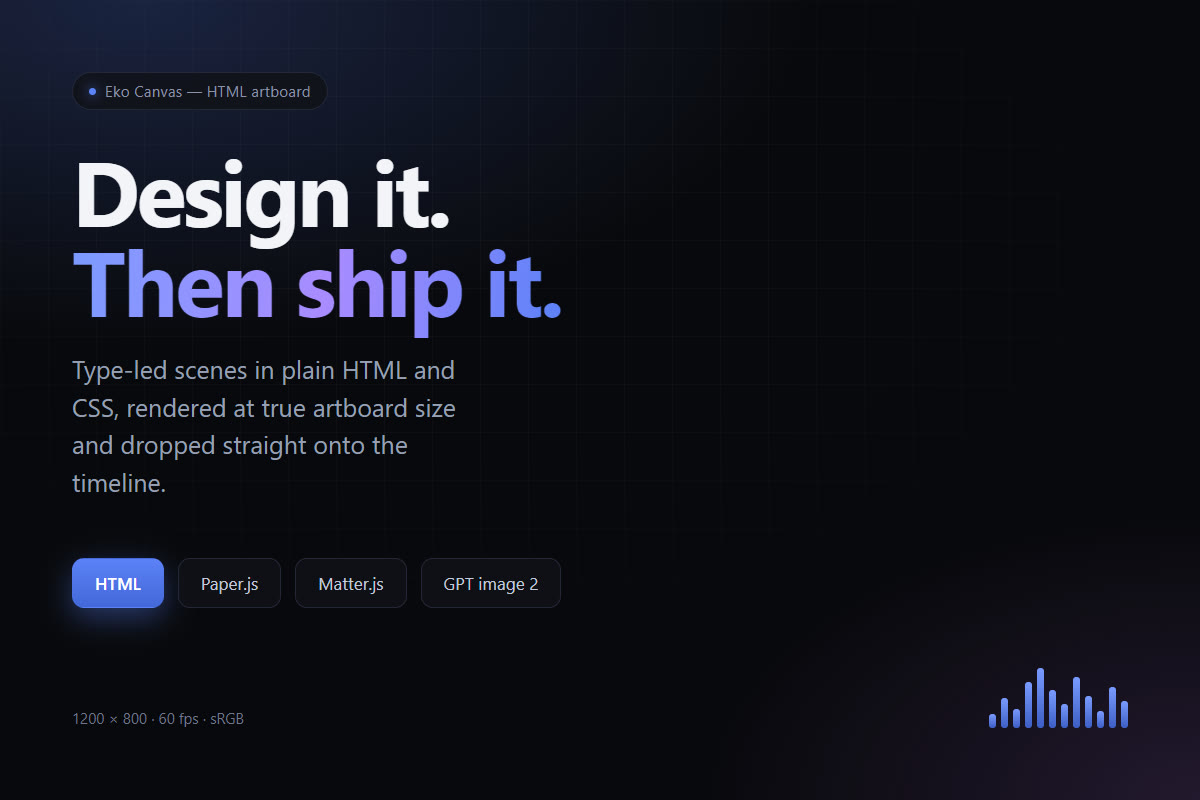
HTML artboards. Style to exact pixel dimensions and render offscreen at true size — the fastest way to make anything type-led.
Real physics. Matter.js scenes run live on the artboard, so falling type and collisions are simulated, not faked.
React compositions. Remotion is wired in with title cards, lower thirds, kinetic text and audio visualisers that render straight into the project.
A3 pricing
The whole editor, either way.
Every plan is the full editor with no export limits or watermarks. Max adds the
AI models running on our account, so there are no API keys to set up.
A licence covers one machine and moves with you when you change it.
Eko
The whole editor. Free, forever.
Free
No account needed to edit. No trial, no watermark.
Full editor, timeline and export
Agent control over MCP, CLI and the bridge
Canvas artboards and Remotion rendering
Local transcription and offline voices — no key, nothing uploaded
Bring your own API keys for cloud AI, if you have them
AI video with Veo 3.1 — about 31 eight-second clips a month
Image, voiceover, transcription and search with no key to set up
One monthly allowance — spend it across any of them
Cancel any time — the editor keeps working, the credits stop
Free or Max?
The editor is identical. What differs is who pays the AI providers — you, with your
own keys, or us. If you already have an OpenAI key and use AI occasionally, Pro is cheaper.
If you want AI video at all, it only exists on Max.
Eko — free
Eko Pro — $29/mo
The editor
Timeline, effects, exportMulti-track, transitions, colour, 4K export, no watermark
Everything
Everything
Agent controlMCP, editorctl and the HTTP bridge
Included
Included
Canvas and RemotionPaper.js, Matter.js, HTML artboards, React compositions
Included
Included
Stock footage and soundPexels plus six open archives, and myinstants SFX
Included
Included
AI — who pays the model
AI videoVeo 3.1, text‑to‑video and image‑to‑video with native audio
Not available — no bring‑your‑own‑key option exists
About 31 eight‑second clips a month
Image generationGPT Image 2, Imagen 4, FLUX 2
Your OpenAI key, billed at cost
Included — about 450 images
VoiceoverNatural TTS, plus the offline and TikTok voices on both
Your ElevenLabs key
Included — about 1.6m characters
Transcription and captionsWhisper, Deepgram, AssemblyAI — or free offline on both
Your key, or the local runtime
Included — roughly 130 hours
Semantic searchSearch your footage by meaning, not filename
Your key, or the local runtime
Included
Voice cloningF5‑TTS, runs on your own machine
Free on both — local, no key
Free on both — local, no key
How it works out
Monthly allowance
—
1,200 premium credits for GPT, Claude, Gemini and Veo, plus 800 included credits for voiceover and transcription on Eko’s own GPUs
API keys to set up
OpenAI, and ElevenLabs for voice
None
Cancel any timeThe editor keeps working — only the credits stop
—
Yes
What a credit buys
There are two allowances, because they buy very different amounts.
Premium pays the model vendors — OpenAI, Anthropic, Google.
Included pays for speech and transcription running on our own GPUs, where
the same credit goes five to twenty‑five times further. Each list below is the total
if you spent that whole allowance on one thing, at the rate we actually bill.
Premium — 1,200 a month
7
8‑second clips Veo 3.1 Fast
15
8‑second clips Veo 3.1 Lite
113
images GPT‑image‑2
400k
characters of voiceover
16h
of transcription
Included — 800 a month, on Eko’s own GPUs
800
voiceover generations
44h
of transcription
Premium credits can pay for an included job when the included allowance runs out, but not
the other way round — so a chat‑heavy month can never eat your voiceover and
transcription.
A daily cap of 1,200 credits keeps a runaway agent from spending the month in an afternoon;
it lifts within 24 hours. Nothing generates unless you ask for it — agents have to
confirm with you before spending anything.
How do I activate it after paying?
Checkout hands you a licence key on the spot. Open Eko, sign in or create an account, and paste the key in. The key is also tied to your payment, so you can come back to the confirmation page and read it again if you lose it.
What happens if I cancel?
Eko keeps working until the end of the period you already paid for, then the licence expires and the editor asks you to renew. Your projects are plain files on your own disk and stay exactly where they are.
Can I move my licence to a new machine?
Yes. A licence binds to one machine at a time. Sign out on the old one to free the seat, or ask support to release it if the machine is gone.
Do the AI features need my own API keys?
On Pro, yes — transcription, image generation, voiceover and chat run against your own OpenAI, Anthropic and ElevenLabs keys, so you pay those providers directly at cost and nothing is marked up. On Max they run on our account instead and there are no keys to set up. Either way there is a local offline transcription runtime and an offline voice if you would rather not use a cloud provider at all, and voice cloning is always local and free.
What happens when I run out of Max credits?
It depends which one ran out. If premium is spent, vendored models — GPT, Claude, Gemini, Veo — stop until the allowance resets on your billing date, and voiceover and transcription keep working on the included allowance. If both are spent, AI generation stops and the editor and everything else keep working exactly as before. There is also a daily cap of 1,200 credits, which exists so a scripted agent in a loop cannot spend the whole month in an afternoon — it lifts within 24 hours rather than at the end of the period. Nothing is generated unless you ask for it, and an agent has to confirm with you before spending anything.
What happens if I cancel Max?
You keep the editor. It is free and does not expire, so cancelling only stops the monthly credit allowance — your projects, exports and the whole timeline keep working exactly as before. Credit packs you have bought never expire and are unaffected.
Why is ElevenLabs bring-your-own-key even on Max?
Their terms do not permit reselling their voices through someone else's account without a written agreement, so we do not. ElevenLabs works on every plan with your own key. Max voiceover uses OpenAI's text-to-speech instead, and and the offline Piper voice and the TikTok voices are free for everyone.
Is there a Mac version?
Not yet. Eko ships for Windows 10 and 11 on x64 today. The codebase is cross-platform and macOS builds are the next target.
Does it work offline?
Editing, the timeline, canvas and export all work with no connection. Eko checks your licence when it can and keeps running offline for a grace period after that, so a flight or a dead wifi router never locks you out mid-edit.